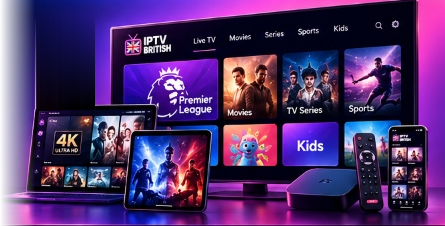
🇬🇧 Official IPTV Setup Guides

IPTV British Tutorials & App Setup Hub

Step-by-step installation guides and player recommendations for UK streaming on Amazon Firestick, Smart TVs, Android, and iOS.

Supported Player Applications

Choose from our verified IPTV media player apps. Follow the setup instructions to connect your IPTV British playlist.

IBO Player

IBO Player

Smart TV • Firestick • Android

Premium, high-stability player with fast channel switching, full EPG support, and remote MAC-based playlist management.
IPTV Smarters Pro

IPTV Smarters Pro

Android • iOS • Firestick • PC

Intuitive multi-screen interface supporting Xtream Codes API, catch-up TV, multi-user profiles, and integrated player controls.

TiviMate

TiviMate IPTV Player

Android TV • Firestick

The premier TV-optimised player featuring seamless modern EPG navigation, multiview, scheduled recordings, and custom groups.

Hot Player

Hot Player

Samsung Tizen • LG webOS • Android

Lightweight and responsive Smart TV application tailored for easy remote control navigation and fast channel loading.

Televizo

Televizo Player

Android • Firestick

Customizable player with clean controls, parental locks, subtitles, and smooth playback across varied network conditions.
XCIPTV

XCIPTV Player

Android TV • Firestick • Mobile

Feature-rich interface with dual ExoPlayer & VLC backends, backup/restore settings, and integrated sports guide support.

GSE Smart IPTV

GSE Smart IPTV

iOS • Apple TV • Android

Advanced cross-platform player with extensive playlist format compatibility, dynamic EPG, and AirPlay streaming.

VLC Media Player

VLC Media Player

Windows • Mac • Linux • Mobile

Open-source powerhouse capable of rendering network streams and M3U playlists across all desktop platforms.

⚡

iMPlayer TV

Android TV • Firestick

Modern TV-first player with cloud management, multiview functionality, and full catch-up compatibility.

Quick Device Walkthroughs

Follow these essential steps to connect your device to IPTV British servers.

🔥

Amazon Fire TV Stick

  1. Install the free Downloader application from the Amazon Appstore.
  2. In Firestick Settings, allow installing unknown apps for Downloader.
  3. Enter the download URL for your preferred player (e.g., IBO Player Pro, Hot Player, or Cap Player).
  4. Open the application, select Xtream Codes API or M3U, and enter your IPTV British credentials.
View full Firestick setup guide →
📺

Samsung & LG Smart TVs

  1. Open your TV app store (Samsung Smart Hub or LG Content Store).
  2. Search for and install IBO Player or Hot Player.
  3. Launch the app to reveal your device's MAC Address and Device Key.
  4. Upload your IPTV British playlist via the player's web management portal.
View full Smart TV setup guide →
🤖

Android TV & Set-Top Boxes

  1. Open the Google Play Store on your Android TV or Nvidia Shield.
  2. Download and install IBO Player Pro, Hot Player, or Televizo.
  3. Choose 'Add Playlist' and select 'Xtream Codes API'.
  4. Enter your server URL, username, and password provided with your IPTV British account.
View full Android setup guide →
🍏

Apple TV, iPhone & iPad

  1. Open the Apple App Store on your iPhone, iPad, or Apple TV.
  2. Search for and download IBO Player, Cap Player, or a compatible player.
  3. Open the app and input your IPTV British login details.
  4. Enjoy HD streaming with seamless AirPlay compatibility.
View full iOS / Apple TV guide →

Need Assistance With Setup?

Our dedicated support team is ready to guide you step-by-step through configuring your app or device.