High-Speed Playback Engine
Engineered specifically for Smart TVs and streaming boxes, offering rapid channel switching, buffer management, and native 4K UHD 60FPS support with minimal memory overhead.
Follow our comprehensive IBO Player setup guide for Samsung Tizen, LG webOS, Amazon Fire TV Stick, Android TV, and Apple TV. Learn how to locate your MAC Address and Device Key, activate your player, and connect your IPTV British high-definition UK streaming playlist with full EPG support.
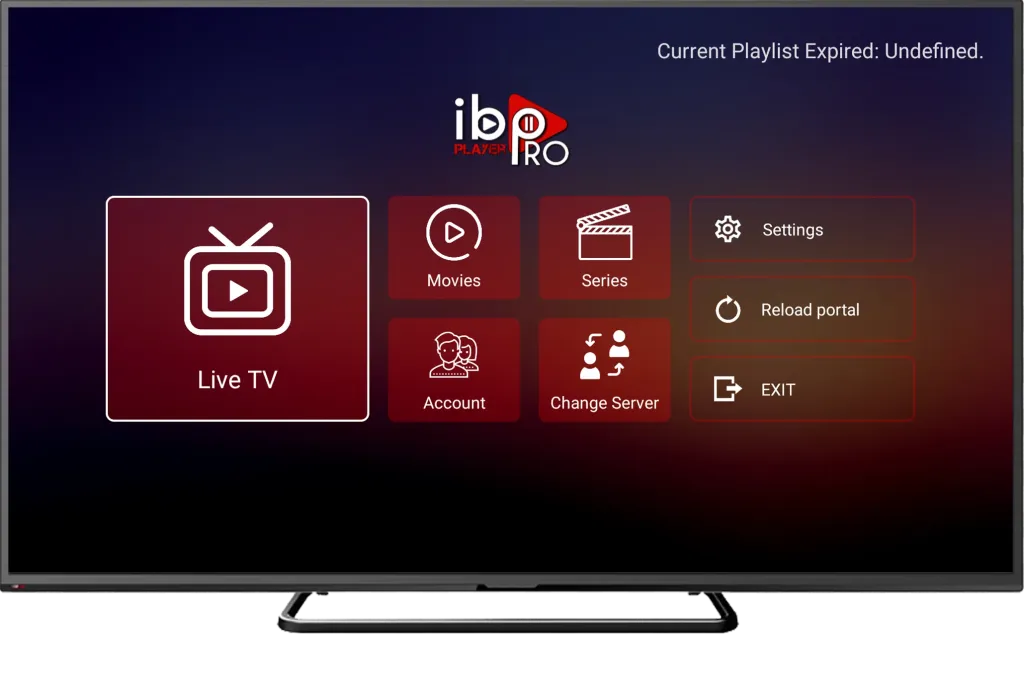
An advanced, hardware-accelerated media player engineered specifically for modern Smart TVs, streaming sticks, and mobile devices.
Engineered specifically for Smart TVs and streaming boxes, offering rapid channel switching, buffer management, and native 4K UHD 60FPS support with minimal memory overhead.
Automatic UK TV guide synchronisation, displaying ongoing shows, start times, catch-up schedules, and upcoming listings across all UK entertainment and sports categories.
Activate and update your playlist credentials seamlessly from any computer or mobile browser using your TV's unique MAC Address and Device Key—no cumbersome on-screen typing.
IBO Player provides native application compatibility across major UK television brands, streaming sticks, and mobile operating systems.
Tizen OS (2016 to latest) • Samsung Smart Hub
webOS 3.0+ • LG Content Store / Apps
Firestick, 4K Max & Cube • Appstore / Downloader
Sony, TCL, Philips, Nvidia Shield • Google Play
Apple TV 4K, iPhone & iPad • Apple App Store
Supported desktop emulators & native desktop players
Ensure you have these four essential items ready for a smooth, trouble-free installation experience.
A supported Smart TV (Samsung Tizen, LG webOS), Firestick, Android TV, or Apple TV connected to high-speed broadband.
The official IBO Player application installed from your television's native app store or via the Downloader utility.
Your unique hardware identifiers clearly visible on the player welcome splash screen or under Settings > Account Info.
Your authorised IPTV British streaming credentials (Server URL, Username, and Password) received in your activation email.
Follow these 5 simple steps to connect your IPTV British subscription to IBO Player on your television.
Open your television or streaming device application store (Samsung Smart Hub, LG Content Store, Google Play Store, Amazon Appstore, or Apple App Store). Search for IBO Player (or IBO Player Pro on Android/Firestick) and install the official application directly onto your home screen.
Launch IBO Player on your television. On the welcome splash screen (or under Settings > Account Info), you will see your unique hardware credentials:
• Device MAC Address: A 12-character identifier formatted like 00:1a:79:xx:xx:xx
• Device Key: A secure 6-digit or 8-digit numeric PIN
Take a quick photo or note these down carefully, as they are required to link your playlist remotely.
Look at the activation website address displayed on your TV screen directly below your Device Key. On your smartphone, tablet, or computer browser, navigate to that exact web address. Enter your TV's on-screen MAC Address and Device Key, then click Login or Manage Playlist.
Once logged into the management portal, click Add XC Playlist (Xtream Codes) for the most responsive channel switching and automatic EPG syncing:
• Playlist Name: IPTV British
• Server URL / Host: Enter the Server URL provided upon subscription activation
• Username: Your allocated IPTV British username
• Password: Your allocated IPTV British password
(Alternatively, if you prefer M3U format, choose "Add Playlist" and paste your complete M3U Plus URL). Click Save to upload your channel list.
Return to your television screen. Press the Reload button inside IBO Player (or exit and re-open the app). The player will download your complete channel list, movies, series, and full UK TV guide. You can now begin streaming live UK sports, entertainment, and on-demand titles in crisp 4K UHD.
Understanding the key distinction between your player application licence and your live streaming access.
What It Is: Unlocks access to the third-party IBO Player application software interface on your Smart TV or streaming device.
Provider & Pricing: Managed directly by independent software developers. Offers a 7-day free trial, followed by an activation fee (~€8) paid directly to the app developer.
Important Note: IPTV British does not develop or own IBO Player. Paying for player activation alone does not provide streaming content.
What It Is: Provides your actual streaming credentials, unlocking 10,000+ live UK channels, premium sports, and 45,000+ VOD titles.
Provider & Pricing: Supplied directly by IPTV British on flexible 3, 6, and 12-month plans with anti-freeze servers and 24/7 UK support.
Exclusive Promo: All eligible 12-month subscriptions include complimentary 12-month IBO Player Pro activation assistance at no extra cost!
Choose a subscription duration and device package compatible with your preferred IPTV player. Please note that an IPTV stream subscription and third-party player application licences are separate products unless specified.
Solutions to common questions and technical inquiries regarding IBO Player configuration.
No. IBO Player is an independent third-party player application. Application licensing terms and evaluation periods are established directly by the app developers (~€8 direct to the developer). IPTV British supplies your streaming access credentials and UK channel feeds.
Open IBO Player on your television. Your unique 12-character MAC Address (e.g. 00:1a:79:xx:xx:xx) and numeric Device Key PIN are clearly displayed in the centre of the welcome screen and under Settings > Account Info.
First verify that your television has an active internet connection. Next, log back into the player web portal and verify that your Server URL, Username, and Password were saved without any trailing spaces or typos.
While playing any live channel or video-on-demand title, press the Options, Info, or Blue button on your TV remote control to cycle through available English commentary and subtitle streams (content-dependent).
In IBO Player, navigate to Settings > Player Settings. Switch the decoder engine between ExoPlayer and IJKPlayer (or Hardware vs Software decoder) to optimize hardware rendering performance for your TV chip.
A standard 1-device subscription allows one active stream at a time. If you wish to stream simultaneously on multiple TVs, phones, or streaming boxes in your household, select our 2-device or 3-device subscription packages above.
Get in touch with our UK technical team for assistance with playlist activation or request a free 24-hour evaluation line to experience our premium stream quality before subscribing.
Compare subscription durations, explore multi-device options and choose a plan that suits your viewing setup.

Explore IPTV subscription options, device setup guides and dedicated customer assistance with IPTV British.