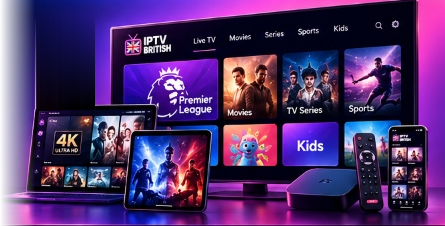
Everything you need to know about IPTV British UK streaming, supported devices, application setup, and subscription plans.
IPTV British is a premium UK-focused streaming service that delivers thousands of high-definition live television channels, sports broadcasts, and an extensive video-on-demand library directly over your broadband internet connection. Instead of traditional satellite dishes or cables, streams are securely transmitted to compatible applications on your Smart TV, streaming stick, tablet, or smartphone.
IPTV British supports all major streaming devices and platforms. This includes Amazon Fire TV Stick & Fire TV Cube, Samsung Smart TVs (Tizen OS), LG Smart TVs (webOS), Android TV devices (including Nvidia Shield and Chromecast with Google TV), Apple TV, iPhones, iPads, Android smartphones and tablets, Windows PCs, Apple Mac, and dedicated MAG set-top boxes.
Yes. We offer multi-device plans specifically designed for households, supporting 1, 2, 3, 4, or 5 concurrent connections. Each connected screen streams independently, allowing family members to watch different live channels or movies in separate rooms at the same time without playback conflicts.
We offer flexible subscription periods in 3-Month, 6-Month, and 12-Month tiers across 1 to 5 devices. Prices start from £29 for a 3-Month single-device plan up to £249.99 for our comprehensive 12-Month 5-Device Family Plan (£20.83/mo equivalent). Every plan includes complete access to UK and international channels, sports feeds, and electronic programme guide (EPG) data.
You can request test access through our dedicated Free Trial page. Complete the short request form with your name, email, and preferred streaming device. Our technical support team will review your submission and provide test credentials and setup instructions.
Setting up on a Smart TV requires installing a compatible IPTV player application from your TV's official app store (Samsung Smart Hub or LG Content Store). Recommended apps include IBO Player, Hot Player, and XCIPTV. Once installed, note your TV's MAC Address and Device Key from the app screen, then input your IPTV British playlist details via the app's online management portal.
For Smart TVs, Amazon Firestick, and Android, we recommend IBO Player, IBO Player Pro, Hot Player, Vivo Player, and Cap Player for exceptional stability and intuitive channel navigation. For Apple devices, IBO Player and compatible App Store players provide seamless streaming.
Yes, IBO Player is fully supported and one of the most reliable media players for UK IPTV. You can connect your IPTV British subscription by following the activation portal web address displayed inside your TV application, entering your device MAC Address and Device Key, and adding your IPTV British credentials.
When your subscription period approaches renewal, you can renew your account seamlessly without losing your saved playlist, favourites, or configuration. You can contact our support team via WhatsApp or select your renewal package on our Subscription Plans page. Your account credentials will be extended smoothly.
An IPTV subscription provides access to the live television streams, video-on-demand library, and high-speed server infrastructure provided by IPTV British. A player application (such as IBO Player or TiviMate) is independent third-party software that renders the streams on your device. While many apps are free or offer trial periods, some player developers charge a separate one-time or annual software activation fee that is independent of your IPTV stream subscription.
Smooth streaming requires a stable connection of at least 15 Mbps for HD and 25+ Mbps for 4K. If you experience buffering: 1) Ensure your streaming device is connected via 5GHz Wi-Fi or directly via Ethernet. 2) Restart your home broadband router to clear network congestion. 3) Clear the cache in your IPTV player app settings. 4) If your broadband provider applies evening traffic shaping, using a reliable VPN often resolves throttling.
Select your plan based on the maximum number of screens that will watch concurrently. If you only watch on one TV, the 1-Device plan is ideal. If multiple screens in different rooms (e.g., lounge and bedroom) stream at the same time, choose our 2, 3, 4, or 5-Device packages to ensure seamless simultaneous playback.
You can explore all available package combinations, features, and pricing directly on our Subscription Plans page. Use our interactive pricing selector to switch between 1 to 5 devices and 3, 6, or 12-month durations.
Still Have Questions?
Our dedicated UK customer support team is available to assist you with device configuration, package selection, and connection questions.