Explore IPTV British on your compatible device before choosing a subscription. Request your free IPTV trial UK access and get step-by-step guidance from our technical team.
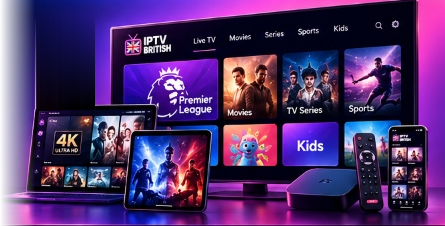
Experience reliable playback quality, complete channel selection, and intuitive navigation on your home screen.
Verify smooth playback, fast channel switching, and player responsiveness directly on your television, tablet, or smartphone.
Get step-by-step guidance to install and configure your preferred IPTV application quickly and without hassle.
Assess high-definition sports, movies, and international streams along with an organized electronic program guide (EPG).
Connect with our technical support team via WhatsApp or email to assist you with installation during your trial.
A simple three-step process to get started with your IPTV British trial.
Fill out the trial form on this page with your name, valid email address, and the device you plan to use.
Our team reviews your submission and sends your connection credentials and easy-to-follow setup guidance.
Load the credentials into your preferred player application and test IPTV British on your compatible device.
IPTV British supports all major streaming hardware and operating systems. Explore our verified setup documentation.
Compatible with all Fire TV Stick models, 4K Max, and Fire TV Cube via Downloader and player apps.
View Firestick Guide →Install dedicated players like IBO Player, IPTV Smarters, or Flix IPTV directly from your TV App Store.
View Smart TV Guide →Full support for Google TV, Nvidia Shield, Xiaomi Mi Box, and standard Android-powered media boxes.
View Android Guide →Stream effortlessly on iOS and tvOS using top-rated players like IPTV Smarters Pro or GSE Smart IPTV.
View Apple Tutorial →Watch directly on your computer or laptop using VLC Player, IPTV Smarters desktop, or web player portals.
View PC/Mac Tutorial →Our recommended player for high-performance navigation, EPG loading, and multi-playlist management.
View IBO Player Guide →Tell us which device you use and our team will guide you through the next steps.
Ensure you have the essentials ready so you can connect seamlessly as soon as you receive your details.
A stable connection of at least 15 Mbps for standard HD or 25+ Mbps for Full HD / 4K ensures smooth, uninterrupted playback.
Download a supported player app on your device, such as IBO Player, IPTV Smarters Pro, or VLC Player, prior to setup.
If you use IBO Player or a MAG box, have your MAC address and Device Key ready to facilitate swift setup.
Find answers to common questions about our free IPTV trial UK setup process.
Complete the request form on this page with your full name, email address, and device type. Our support team will review your request and send your trial credentials and setup guide.
IPTV British is compatible with Amazon Fire TV Stick, Samsung & LG Smart TVs, Android TV boxes, Apple TV, iPhone, iPad, Windows PCs, Mac, and MAG boxes.
Yes. You will need a compatible media player such as IBO Player, IPTV Smarters Pro, or TiviMate. We provide complete setup tutorials for each supported app.
Your trial credentials and M3U/Xtream Codes connection details will be delivered to the email address or WhatsApp number you provide in the request form.
Yes. Once you have tested our service, you can easily upgrade to a 3-month, 6-month, or 12-month subscription with 1 to 5 device connections on our Subscription Plans page.
Our customer support team is available to assist you with installation troubleshooting, app selection, and connection settings. You can reach out directly via our Contact page or WhatsApp.
Our technical support specialists are available to answer your questions and assist you with configuring your device.
Explore available IPTV British subscriptions and select the package that suits your streaming needs.
VIEW IPTV PLANSCompare subscription durations, explore multi-device options and choose a plan that suits your viewing setup.

Explore IPTV subscription options, device setup guides and dedicated customer assistance with IPTV British.